info@sellingos.com

+91 729 000 2939

WhatsApp Us
  • Home
  • About us
  • Services
    • Amazon
      • Amazon Europe Account Management Service
      • Amazon Global Account Management Service
      • Amazon India Account Management Service
    • Etsy
      • Etsy Account Management Services India
      • Etsy Account Management Services UK
    • eBay
      • Ebay USA Account Management Service
      • Ebay UK Account Management Service
    • Walmart Account Management Service
    • Flipkart Account Management Service
    • Shopify Store Management Services
    • IndiaMart Account Management Services
    • Jio Mart Account Management Service
    • Meesho Account Management Service
  • Solutions
    • Ecommerce Shipping & Logistics Solutions
    • Global Ecommerce Payment Solutions
    • Ecommerce Creative & Photoshop Solutions
    • End-to-End Dropshipping Solutions
  • Partner
  • Calculators
    • Walmart Calculator
    • Amazon Calculator
    • Etsy Calculator
    • Flipkart Calculator
    • Meesho Calculator
    • Amazon US Calculator
    • Ebay Calculator
  • Blog
  • Contact us
    • e-Commerce Account Management Gurgaon
    • e-Commerce Account Management Faridabad
    • e-Commerce Account Management Noida
Menu

Blog

HomeBlog
Blog, seller account management

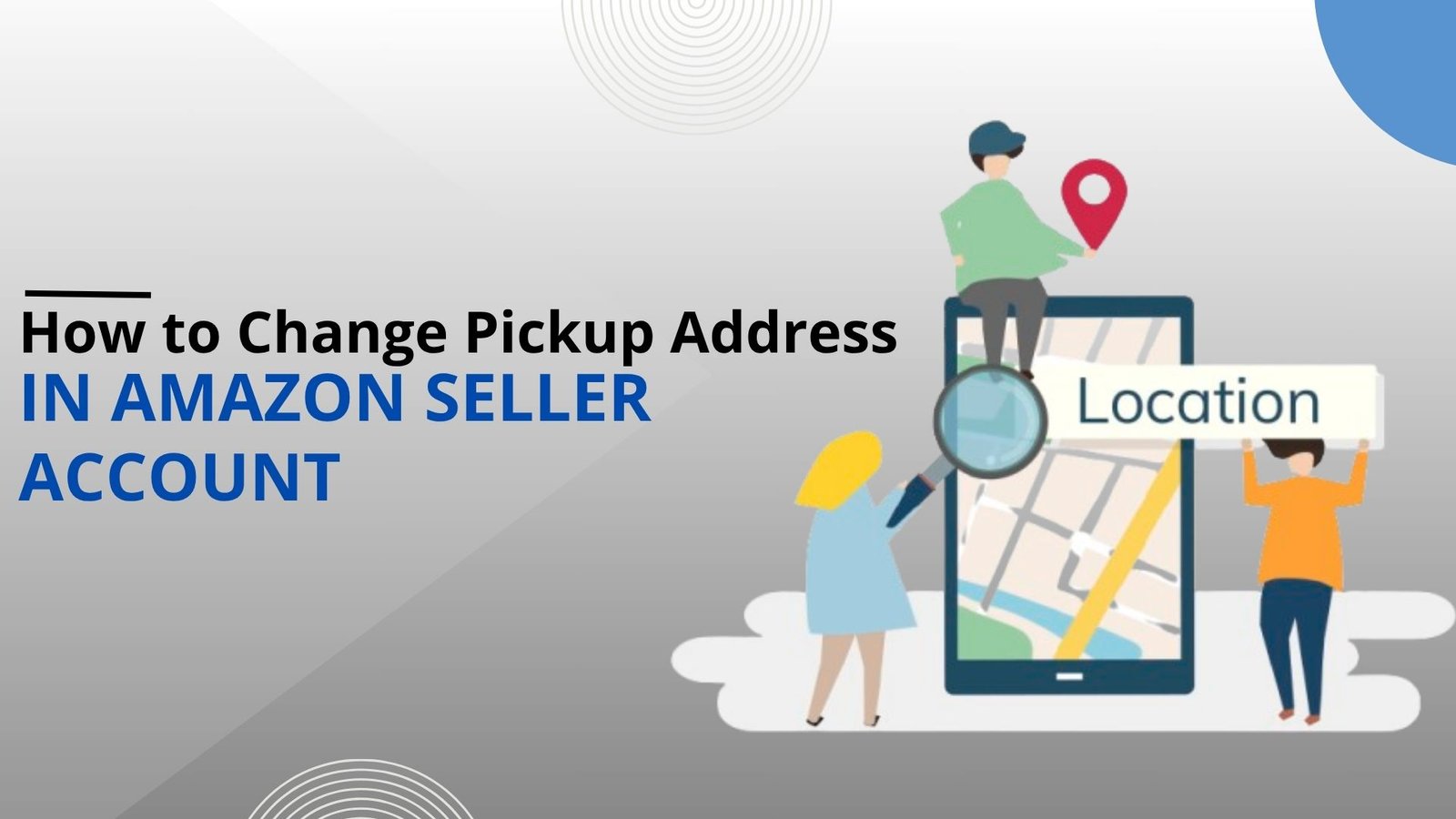
How to Change Pickup Address in Amazon Seller Account

Posted by author-avatar Admin
On July 28, 2025
0 comments
Amazon Pickup Address Change

In Amazon Seller Central, the pickup address is the location where Amazon’s shipping crew will go to pick up your orders for shipping if you’re using Easy Ship. It’s part of the fulfillment option provided, and even a minor mistake here can result in delays, missed pickups, or customer service issues. Which is why it’s so important that you keep the pickup address current, especially if you’ve moved, opened a new warehouse, or changed your dispatch system. If you don’t know how to handle it or feel overwhelmed by it, our Amazon account management services can take care of it for you quickly and effectively.

Who Needs to Change the Pickup Address?

You’ll need to change your pickup location if you’re moving, expanding warehousing space, or opening multiple pickup locations. Even if you are just changing inventory seasonally, an update or checks are helpful to maintain smooth pickups. 

Step-by-Step Procedure in Seller Central

It is not that difficult to change your pickup location in Amazon Seller Central, but you have to follow each step so that you do not face any problems in shipping the orders. 

1. Firstly, you need to sign in with your login credentials to your account dashboard and log in to your account.

2. Then find and go to “Settings” in the top right-hand and click on “Account Info.”This page has all your important account settings information.
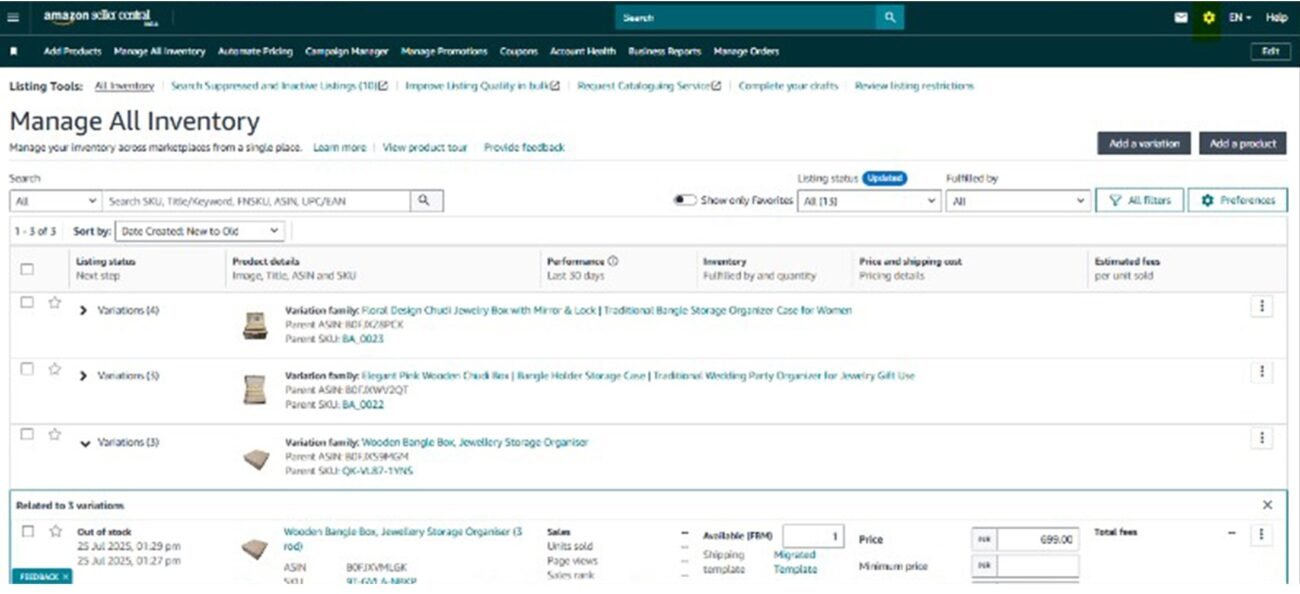
3. Then scroll down and find “Shipping & Returns Information” or, for users of Easy Ship, “Easy Ship Settings.” The wording may be slightly different depending on your country or fulfillment type.
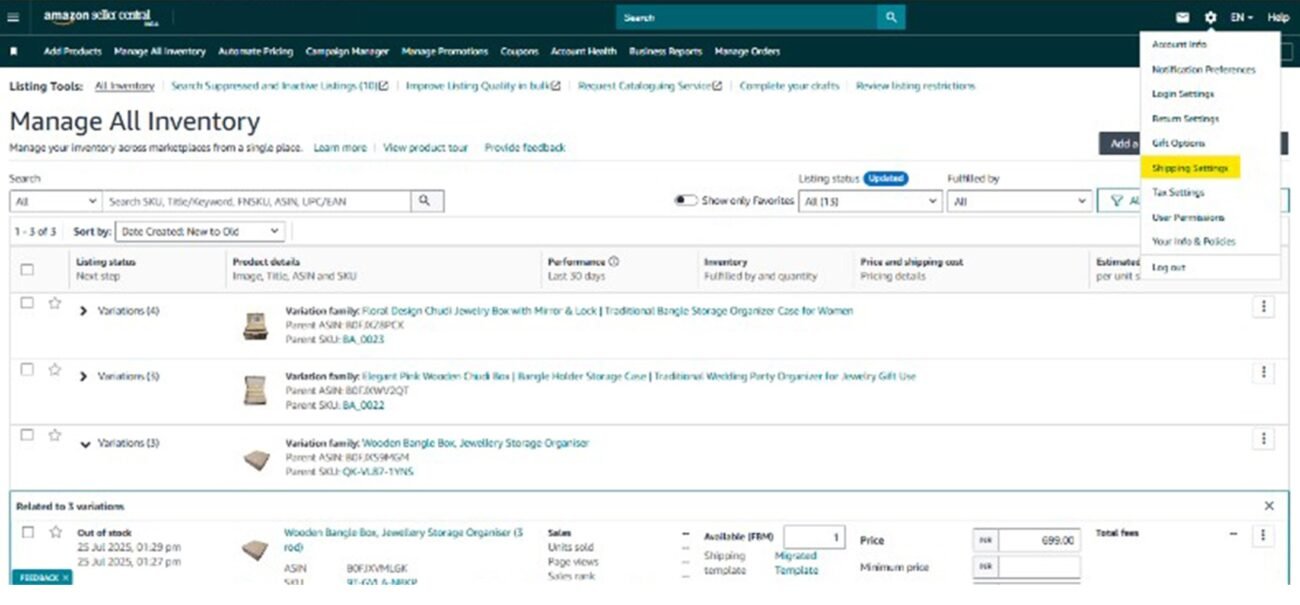
4. Then click on “Edit Pickup Address.” Here, you can change your existing pickup address. Ensure that the address is with the accurate contact number, landmark, and pincode to avoid wrong pickups.
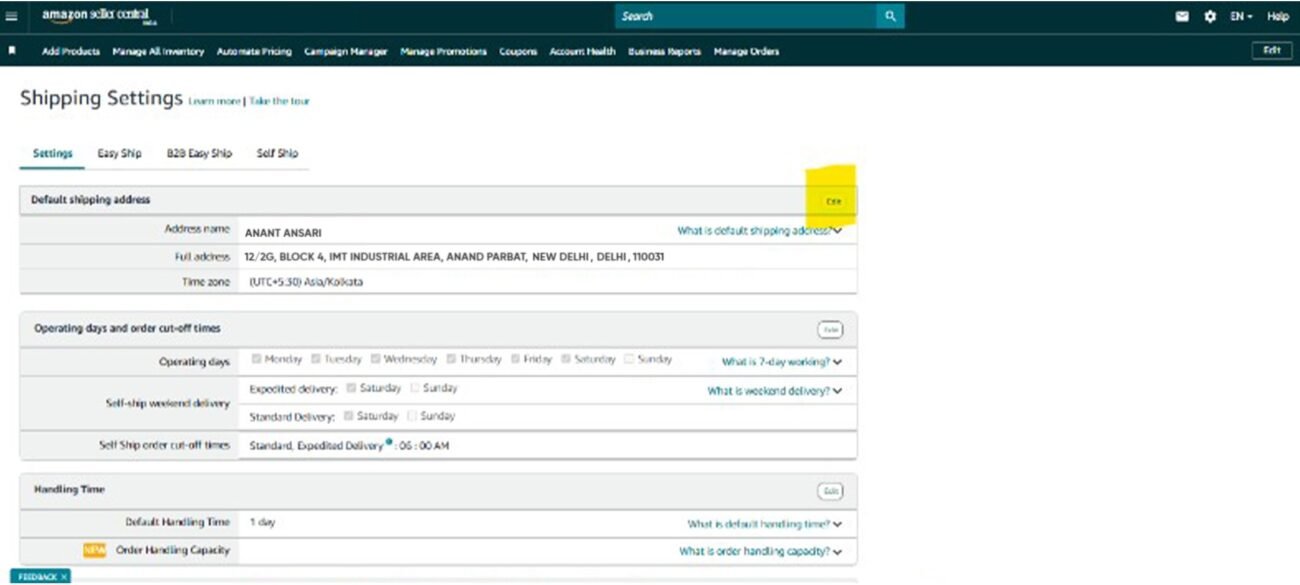
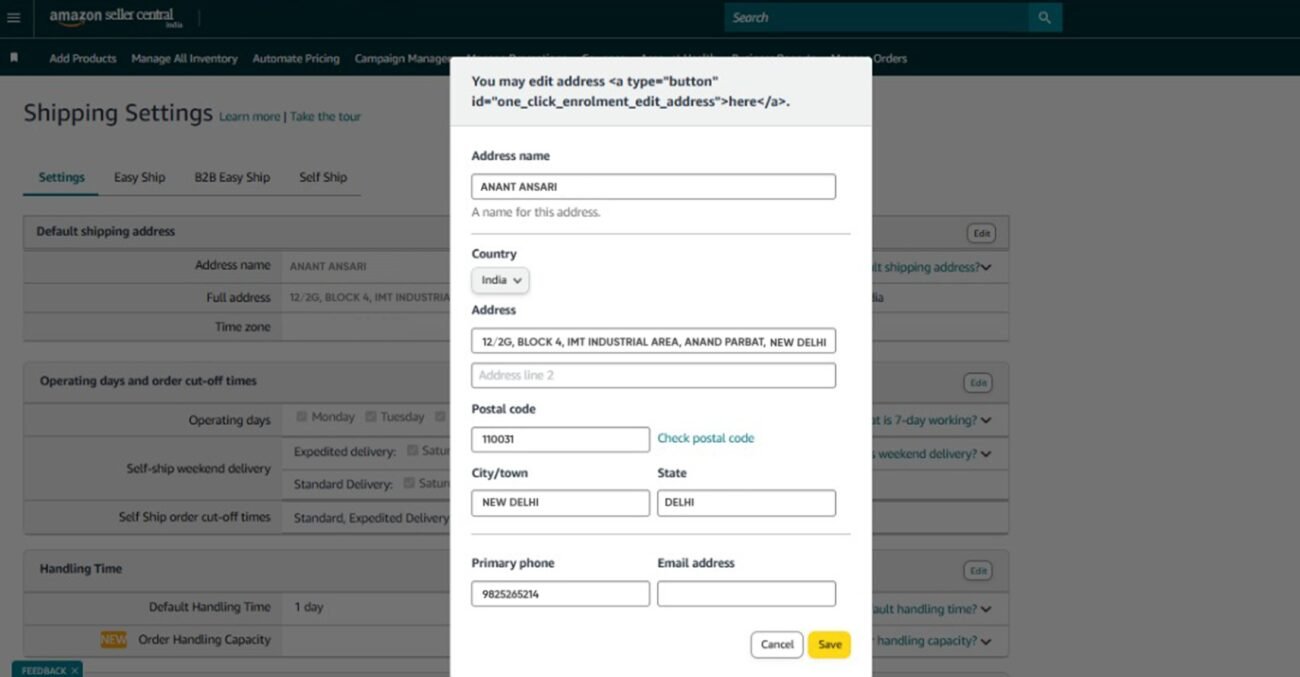
5. Lastly, save and confirm your changes. The new address is made available for future orders when saved. It takes time to reflect on the entire system, though.
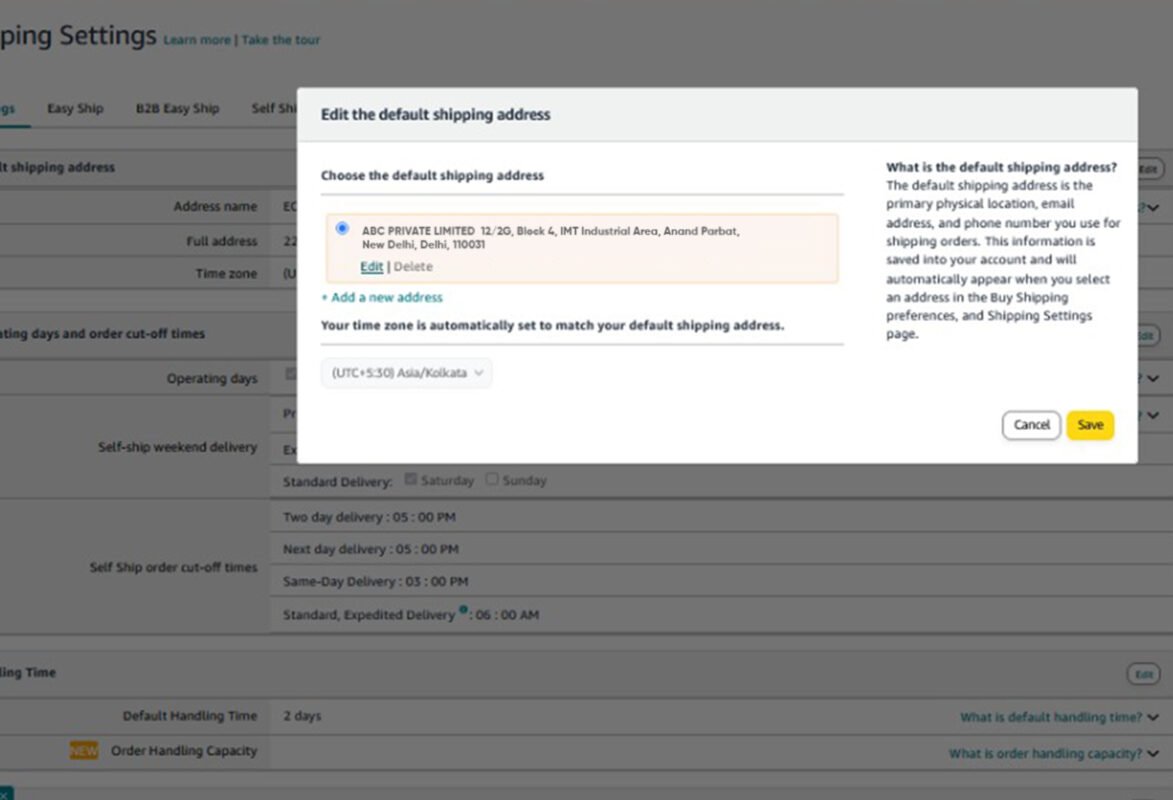
Although the interface is user-friendly, one mistake (e.g., a wrong contact or pin code) can lead to massive delays. This is why most sellers opt for Amazon account management services to run their business hassle-free.

Adding Multiple Pickup Locations

If you’re running a business from multiple locations, Amazon will be able to offer you the option to relieve you while handling multiple pickup locations through your Seller Central account.

1. Start by going into your Easy Ship Settings under Shipping Settings as mentioned above. Under Easy Ship Settings, look for the ‘Add Pickup Address’ option.
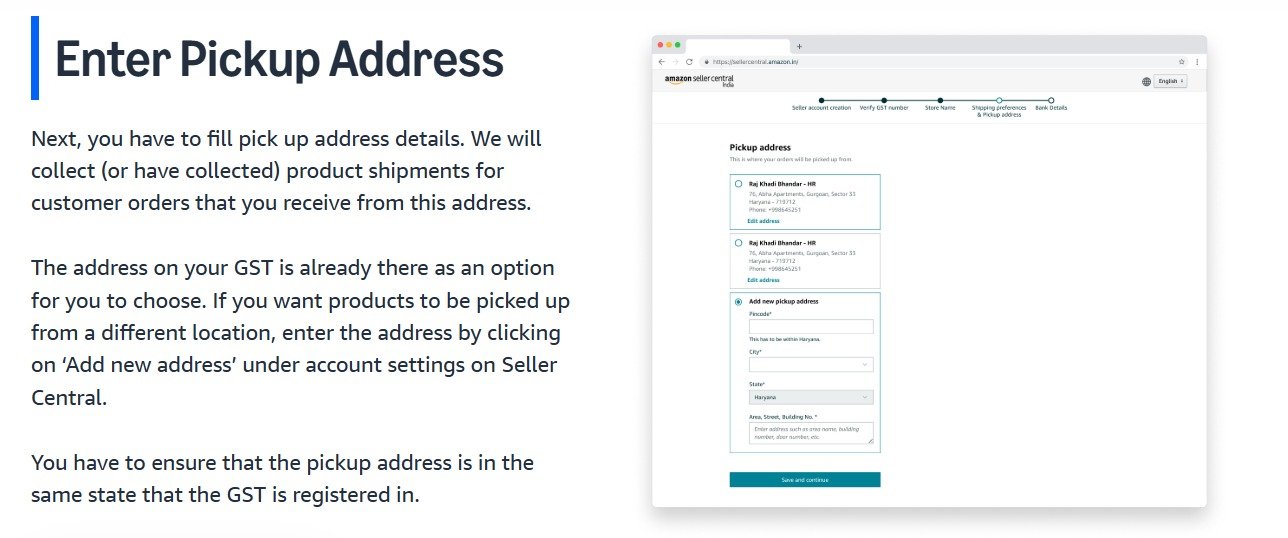
Source URL: https://sell.amazon.in/sell-online/seller-registration-guide

2. Fill in complete information carefully for each new location, the contact person, a correct number, complete address including pincode, and any directions to landmarks that would assist the courier to the pickup location with zero inconvenience. 

3. After you have entered all the information, save the data to save the address in your seller account.

4. If your warehouses have different locations with different products, you can set different pick-up points for different products. That way, orders are dispatched from the right place, enhancing delivery time and lessening any mistakes.

5. With proper arrangement, Amazon’s logistics team will be aware exactly where to pick up what. Amazon accommodates up to 1,000 pickup addresses, but if you need more than the amount that, you can request from stores-mlf@amazon.com and get authorized. Amazon does consider such requests and will grant you additional address spaces depending on your business needs.

Having multiple addresses keeps your logistics flow and supply chain running smoothly—and if it is complicated to manage, the Amazon account management service is always the best fit for your business.

Common Issues and How We Can Help

When you add or change your pickup address, Amazon may ask for extra verification—like updated GST details or business documents—especially if you’ve added a new location or changed official info. These updates can take time and can be stressful. If this feels too technical, getting the best Amazon account management services can help. We check your current settings, reload them for you, reach out to Amazon support if required, and make changes to your business details like GST or address. It is helpful to save your time and prevent any errors or delays.

Post-Change Checklist

After changing your pick-up location, check it by placing an order so that you know for sure if the change takes effect. Update shipping slips and notify your courier partners as well. Let your team and logistics personnel know about the new location as well. Finally, keep an eye on order processing and delivery to identify problems before they occur.

Conclusion

Keeping your pickup location up-to-date guarantees delivery & fulfillment on time, and Amazon account management services help simplify these tasks by keeping it up-to-date, making sure no mistakes are there. Contact us today for an account check-up or customized setup support.


Amazon account managementAmazon account management services
Newer How to Change Pickup Address in Flipkart Seller Account
Back to list
Older Hiring E-commerce Account Manager: Amazon Flipkart Tips 2025

Related Posts

Optimize Your Amazon Listings
06 Apr
Blog, seller account management

Optimize Your Amazon Listings for Rufus & AI Search (2026 Guide)

  • June 3, 2026
  • Posted by author-avatar Admin
AI has already taken shopping to the next level. AI-powered tools make it much easier than ever for online shoppers to find the right p...

Continue reading

Why Do My Listings Get Traffic But No Orders On Amazon
24 Mar
Blog, seller account management

Why Do My Listings Get Traffic But No Orders On Amazon?

  • June 3, 2026
  • Posted by author-avatar Admin
Many Amazon sellers become frustrated for one reason: they get visitors to their listings, but the number of sales isn't enough. Well, ...

Continue reading

Ecommerce Account Manager
13 Mar
Blog, seller account management

Can an Account Manager Increase Your Marketplace Sales?

  • June 3, 2026
  • Posted by author-avatar Admin
Doing business across multiple online marketplaces, such as Amazon, Meesho, eBay, and Flipkart, can provide incredible growth opportuni...

Continue reading

Amazon-Flipkart-Meesho
25 Feb
Blog, seller account management

Amazon vs Flipkart vs Meesho: Best Platform for New Sellers in 2026

  • June 3, 2026
  • Posted by author-avatar Admin
The e-commerce landscape in India has been growing at a very fast pace in the last ten years, which is allowing sellers to cater to buy...

Continue reading

Run Amazon Advertising Campaigns
04 Feb
Blog, seller account management

How to Run Successful Amazon Advertising Campaigns: A Step-By-Step Guide for Sellers

  • June 3, 2026
  • Posted by author-avatar Admin
With thousands of other vendors seeking the same customers' attention, relying solely on organic rankings is rarely sufficient to drive...

Continue reading

Amazon FBA vs FBM
21 Jan
Blog, seller account management

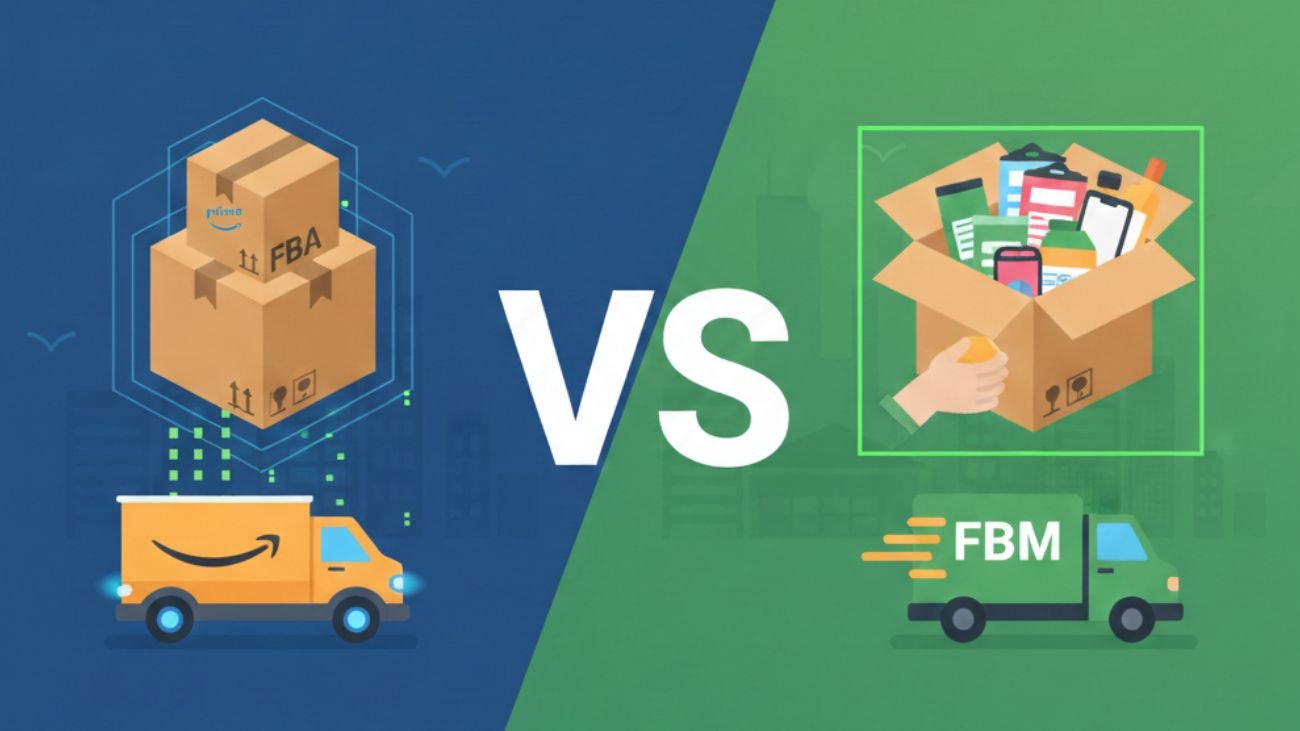
Amazon FBA vs FBM in 2026: Which Fulfillment Model Should Sellers Choose?

  • June 3, 2026
  • Posted by author-avatar Admin
E-commerce is expanding with every passing day; be it Amazon, Flipkart, or various other marketplaces. In the case of an Amazon seller,...

Continue reading

Amazon Account Health
13 Jan
Blog, seller account management

Amazon Account Health Explained and How to Maintain It

  • June 3, 2026
  • Posted by author-avatar Admin
Amazon is an international giant that can provide sellers with access to millions of consumers around the world, in a highly dynamic en...

Continue reading

Amazon Policies
12 Jan
Blog, seller account management

Understanding Amazon Policies for Effective Account Management

  • June 3, 2026
  • Posted by author-avatar Admin
Amazon is one of the strongest electronic commerce platforms in the world that provides sellers with access to hundreds of millions of ...

Continue reading

16 Dec
Blog, seller account management

Enhancing Amazon Seller Performance: Key Metrics to Track And Improve  

  • June 3, 2026
  • Posted by author-avatar Admin
To convert buyers into loyal clients, Amazon sellers must maintain strong performance metrics. All you have to do is focus on automatio...

Continue reading

Amazon FBA Fulfillment
15 Dec
Blog, seller account management

Amazon FBA Fees 2025–2026: Complete Guide & What’s Changing

  • June 3, 2026
  • Posted by author-avatar Admin
In 2025, Amazon sellers were given a reprieve, with most of the fulfillment charges being frozen. However, that pause is ending. From J...

Continue reading

Amazon Business Ideas
28 Nov
Blog, seller account management

Amazon Business Ideas for Online Sellers in 2026

  • June 3, 2026
  • Posted by author-avatar Admin
The eCommerce market continues to grow and rapidly evolve.  The growth of eCommerce and the increasing level of competition a...

Continue reading

Amazon Self Ship Or Easy Ship
14 Nov
Blog, seller account management

Amazon Self Ship Or Easy Ship – Which Fulfillment Option Should You Choose?  

  • June 3, 2026
  • Posted by author-avatar Admin
Amazon is a well-known and reputable eCommerce selling platform that gives sellers the convenience, reach, and sophisticated tools to r...

Continue reading

    Close
    Categories
    • Blog
    • seller account management
    Recent Posts
    • calculate your accurate Amazon commission
      How to Calculate Your Accurate Amazon Commission: Fees, PPC, and Hidden Costs
      May 25, 2026 No Comments
    • Struggling on Amazon
      Struggling on Amazon? Top Challenges New Sellers Face in 2026
      May 16, 2026 No Comments
    • Why Most E-Commerce Stores Fail Without Proper Account Management
      Why Most E-Commerce Stores Fail Without Proper Account Management
      May 13, 2026 No Comments
    Recent Comments

      At Selling OS, we are committed to streamline your ecommerce business operations in a consistent manner

      • GST Number : 07AFNFS4395E1ZJ
      Facebook Instagram Linkedin X-twitter

      Quick Links

      • Home
      • About Us
      • Services
      • Contact Us

      Useful links

      • Blog
      • Payments
      • Partners
      • Terms and Conditions
      • Privacy Policy
      • Refund Policy

      Services

      • Global Entity
      • Ecom Website Development
      • Graphic Designing

      Contact Info

      7/23G, Block 7, Kirti Nagar Industrial Area, Kirti Nagar, New Delhi, Delhi, 110015

      +91 7290002939

      info@sellingos.com

      ©Copyright 2025 Selling OS. All rights reserved

      Close
      • Home
      • About us
      • Services
        • Amazon
          • Amazon Europe Account Management Service
          • Amazon Global Account Management Service
          • Amazon India Account Management Service
        • Etsy
          • Etsy Account Management Services India
          • Etsy Account Management Services UK
        • eBay
          • Ebay USA Account Management Service
          • Ebay UK Account Management Service
        • Walmart Account Management Service
        • Flipkart Account Management Service
        • Shopify Store Management Services
        • IndiaMart Account Management Services
        • Jio Mart Account Management Service
        • Meesho Account Management Service
      • Solutions
        • Ecommerce Shipping & Logistics Solutions
        • Global Ecommerce Payment Solutions
        • Ecommerce Creative & Photoshop Solutions
        • End-to-End Dropshipping Solutions
      • Partner
      • Calculators
        • Walmart Calculator
        • Amazon Calculator
        • Etsy Calculator
        • Flipkart Calculator
        • Meesho Calculator
        • Amazon US Calculator
        • Ebay Calculator
      • Blog
      • Contact us
        • e-Commerce Account Management Gurgaon
        • e-Commerce Account Management Faridabad
        • e-Commerce Account Management Noida
      Sidebar

      WhatsApp us

      Enquiry Now!